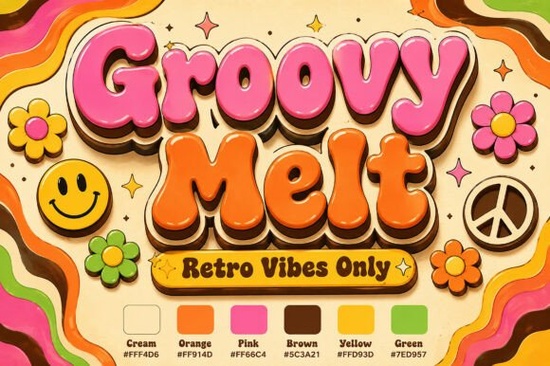
The Groovy Melt Font brings a heavy dose of 1970s nostalgia to modern design projects, giving creators a ready-made solution for that signature retro look. If you work on vintage festival posters, sticker packs, or apparel graphics, this display typeface saves you from manually warping vector paths. It features ultra-plump script letters that naturally slump and melt along a curved baseline, finished in a high-contrast palette of bubblegum pink and retro orange. The built-in liquid highlights and layered chocolate brown drop shadows mean you can drop the letters straight into your layout and get a polished, three-dimensional effect without spending hours on layer styles.
What kind of projects work best with a melting 1970s script?
This typeface shines when you want to communicate warmth, movement, and a playful attitude. Because the characters carry so much visual weight, they work best for short headlines, band names, or product tags rather than body paragraphs. Print-on-demand sellers often use it for mid-century lifestyle branding on tote bags, throw pillows, and t-shirt graphics. If you are designing custom sticker lines, the thick outlines and soft color drops translate beautifully to die-cut vinyl, holding up well even when scaled down for planner accessories.
Event promoters and small business owners can also lean into the retro-pop aesthetic for seasonal campaigns. When planning a summer festival lineup or a coffee shop menu board, the melting baseline naturally guides the viewer’s eye across the page. For broader merch collections, pairing it with a softer floral script for secondary text creates a cohesive retro theme without overwhelming the main message.
How do the colors and shadows affect print quality?
The pre-colored design is a double-edged sword if you do not prepare your files correctly. Since the pink and orange tones are baked into the character shapes, you will get consistent results across digital and physical prints. However, dark chocolate brown drop shadows can disappear or turn muddy if printed on uncoated paper or dark fabric backgrounds. Always test a sample print on your actual substrate before running a full batch.
- Use a light or white background to keep the liquid highlights visible and prevent the dark shadows from blending into the material.
- Switch to CMYK color mode in your design software to avoid unexpected neon shifts when sending files to commercial printers.
- Export as high-resolution PNG or PDF depending on whether your project relies on transparent cut lines or full-page layouts.
Many crafters also find success using heat transfer vinyl. The solid color blocks make it easier to cut precise shapes, though you may need to simplify the shadow layers for a cleaner weeding process. For digital use, the typeface maintains crisp edges at web resolutions, making it reliable for social media banners and newsletter headers.
Which typography pairs well with this liquid style?
Display fonts like this carry a strong personality, so your supporting text should step back and let the headline breathe. Geometric sans-serifs or clean monospaced typefaces usually provide the best contrast. If you need a heavier block style for event dates or pricing, a structured geometric option will anchor the composition without competing with the melting curves. For youth-focused streetwear or music merch, a modern, high-contrast display can add an updated edge that balances the vintage warmth.
When designing for food packaging or boutique labels, you might want something softer in the subheads. A rounded, approachable style like a honeyed script alternative keeps the overall mood friendly and digestible. If your project leans more into handcrafted or artisanal branding, a textured, organic typeface offers just enough roughness to complement the smooth, glossy finish of the primary letters.
Typography theory reminds us to maintain clear hierarchy. Keep your paired fonts limited to two families, and use size and weight differences to guide reading order. For deeper reading on spacing and visual balance, designers often reference Groovy Melt Font alongside standard layout principles.
What should I check before sending my files to print?
Before you finalize any commercial project, verify that your license covers the intended use. Most creators allow print-on-demand and digital sales, but some restrict logo usage or merchandise with specific royalty requirements. Always embed the font or convert text to outlines when sharing editable files with printers. Outlining guarantees that your letterforms will not shift or substitute if the printer’s system lacks the original files.
Small businesses often forget to check bleed and safe zones. Because the melting baseline extends beyond standard letter spacing, your design might run closer to the edge than expected. Add at least an eighth-inch bleed on all sides to avoid accidental trimming.
Quick checklist before exporting:
- Convert all text to curves to lock the melting shapes in place.
- Verify license terms for your specific product type, whether stickers, apparel, or digital downloads.
- Add a 0.125-inch bleed around the design edges for clean cutting.
- Test a single physical sample before committing to a large production run.
- Keep supporting typography simple to maintain clear visual hierarchy.
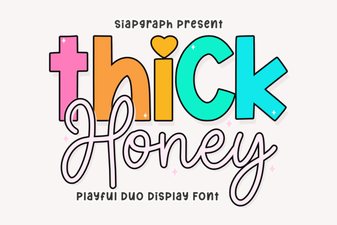 Thick Honey Duo Font: Style & Usability Guide
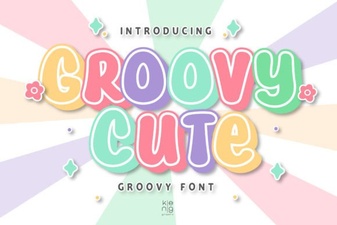 Groovy & Cute Fonts for Fun, Friendly Designs
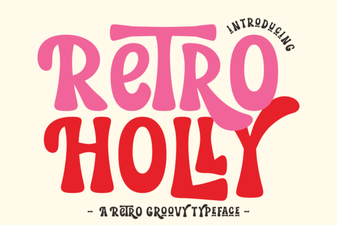 Retro Holly Font: Creative Design Styles & Ideas
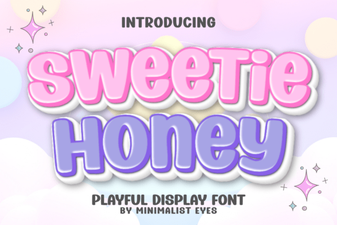 Sweetie Honey Font for Cozy Project Designs
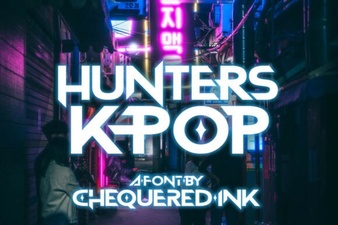 Hunters K-Pop Font: Design Guide and Creative Uses
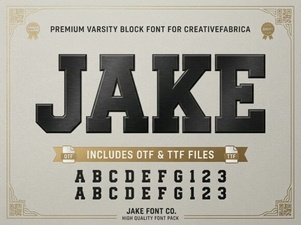 Discover Jake Font for Creative Design Projects